

Table of Contents
Shopify Hydrogen is the modern way to build custom storefronts — but adding internationalization (i18n) can be challenging. You need locale-aware routing, CDN-delivered translations, and seamless integration with Shopify's Storefront API for localized product data.
Better i18n solves this with a single package: @better-i18n/remix. It handles UI translations via CDN while Shopify handles product content — giving you the best of both worlds.
Free to get started — no credit card required. Set up your Hydrogen store in minutes.
Why Hydrogen Needs a Dedicated i18n Solution
Shopify Hydrogen runs on Cloudflare Workers with React Router v7. This creates unique constraints:
remix-i18next**** doesn't work — it requires React Router v7 middleware, which Hydrogen's Workerfetch()handler doesn't support- Shopify Storefront API handles product data but not UI strings (buttons, navigation, forms, error messages)
- Edge runtime means no filesystem access — translations must come from a CDN or be bundled
Better i18n bridges this gap with a CDN-first architecture that's built for edge runtimes.
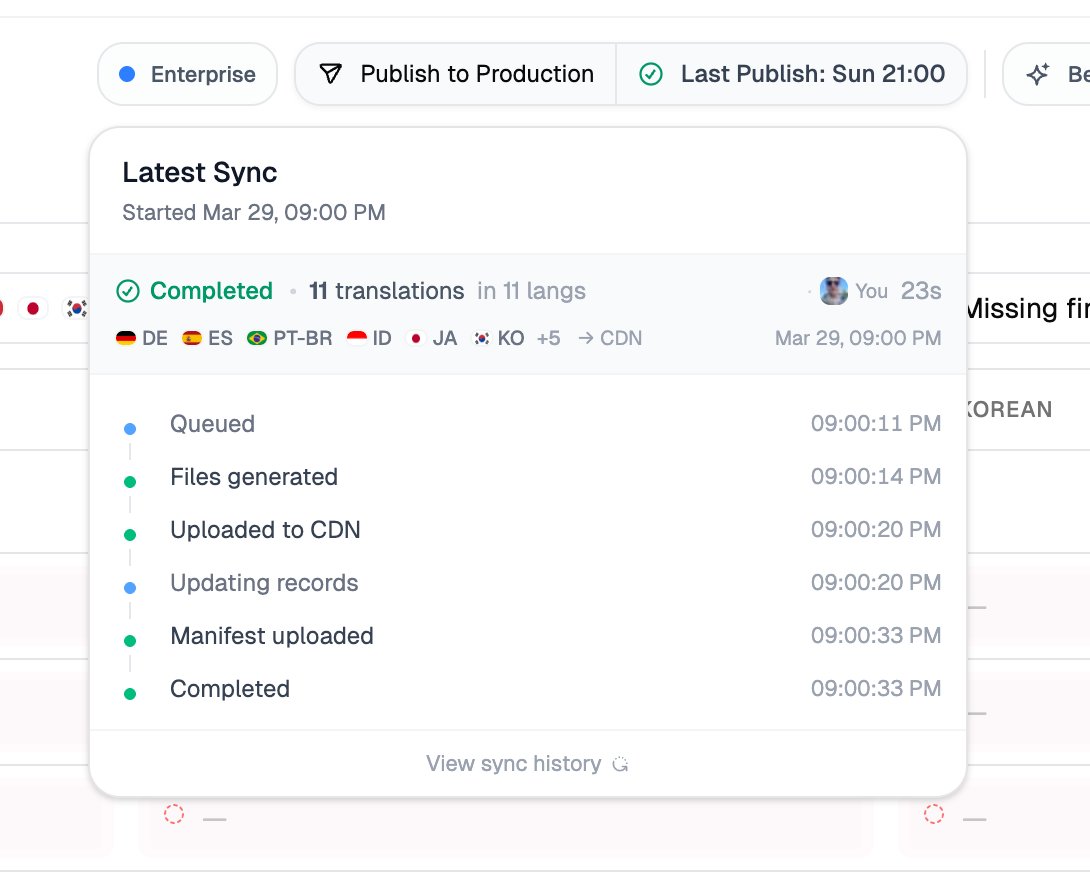
Architecture: Dual-Source Localization
URL: /tr/products/hat
  ├─ Better i18n CDN → Turkish UI translations (buttons, nav, forms)
  └─ Shopify Storefront API @inContext(language: TR) → Turkish product data
This architecture means:
UI strings (navigation, buttons, footer, error messages) → managed in Better i18n dashboard, delivered via CDN
Product data (titles, descriptions, prices, variants) → managed in Shopify, delivered via Storefront API with
@inContextdirectiveURL locale drives both systems simultaneously
Step 1: Install the Package
npm install @better-i18n/remix i18next react-i18next
The @better-i18n/remix package provides:
createRemixI18n()— server-side i18n singletongetLocaleFromRequest()— locale detection from URL segments- CDN-powered translation loading with built-in caching
- React components (
LocaleDropdown,LanguageSwitcher)
Step 2: Create Your Better i18n Project
- Go to better-i18n.com and create a free account
- Create a new project (e.g.,
my-org/hydrogen-store) - Add your target languages
- Add translation keys for your UI strings
You can organize keys by namespace — for example:
common— shared strings (navigation, footer, buttons)home— homepage-specific copyproducts— product page labelscart— cart and checkout strings
Step 3: Create the i18n Singleton
Create app/i18n.server.ts:
import { createRemixI18n } from "@better-i18n/remix";

export const i18n = createRemixI18n({
  project: "my-org/hydrogen-store",
  defaultLocale: "en",
});
This singleton connects to the Better i18n CDN and handles:
- Translation fetching with TTL caching
- Locale validation against your project's language list
- URL prefix management
Step 4: Wire Up the Server Entry
In your server.ts, detect the locale and pass it to the Hydrogen context:
import { i18n } from "./app/i18n.server";

// Inside your fetch handler:
const locale = await i18n.getLocaleFromRequest(request);
const isDefaultLocale = locale === "en";
const languages = await i18n.getLanguages();

// Derive Shopify locale from Better i18n locale
const shopifyI18n = deriveShopifyLocale(locale, isDefaultLocale);

// Pass to createStorefrontClient
const { storefront } = createStorefrontClient({
  i18n: shopifyI18n,
  // ... other config
});
The deriveShopifyLocale helper maps Better i18n locale codes to Shopify's LanguageCode and CountryCode:
function deriveShopifyLocale(locale: string, isDefault: boolean) {
  const parts = locale.split("-");
  const language = parts[0].toUpperCase(); // "tr" → "TR"
  const country = parts[1]?.toUpperCase() ?? language; // "en-gb" → "GB"

  return {
    language,
    country: isDefault ? "US" : country,
    pathPrefix: isDefault ? "" : `/${locale}`,
  };
}
Step 5: Set Up Locale Routes
All your routes should use the ($locale) optional segment pattern:
app/routes/
  ($locale)._index.tsx          → /  and  /tr/
  ($locale).products._index.tsx → /products  and  /tr/products
  ($locale).products.$handle.tsx → /products/hat  and  /tr/products/hat
  ($locale).cart.tsx             → /cart  and  /tr/cart
This gives you clean URLs:
- Default locale:
/products/cozy-hat(no prefix) - Other locales:
/tr/products/cozy-hat,/fr/products/cozy-hat
Step 6: Load Translations in Route Loaders
Each route loader fetches both UI translations and Shopify data in parallel:
export async function loader({ params, context }: LoaderFunctionArgs) {
  const locale = params.locale ?? "en";

  const [messages, { products }] = await Promise.all([
    i18n.getMessages(locale),
    context.storefront.query(PRODUCTS_QUERY),
  ]);

  return { locale, messages, products };
}
Step 7: Set Up the Root Provider
In app/root.tsx, create a per-request i18next instance:
import { I18nextProvider } from "react-i18next";
import i18next from "i18next";

function createI18nextInstance(locale: string, messages: Record<string, any>) {
  const instance = i18next.createInstance();
  instance.init({
    lng: locale,
    resources: { [locale]: messages },
    interpolation: { escapeValue: false },
    initImmediate: false, // Critical for SSR
  });
  return instance;
}

export default function App() {
  const { locale, messages } = useLoaderData<typeof loader>();
  const i18nInstance = useMemo(
    () => createI18nextInstance(locale, messages),
    [locale, messages]
  );

  return (
    <I18nextProvider i18n={i18nInstance}>
      <Outlet />
    </I18nextProvider>
  );
}
Important:
initImmediate: falseis critical — it ensures synchronous initialization for server-side rendering. Without this, translations won't be available during the first render.
Step 8: Use Translations in Components
import { useTranslation } from "react-i18next";

function HeroSection({ products }) {
  const { t: tc } = useTranslation("common");
  const { t: th } = useTranslation("home");

  return (
    <section>
      <h1>{th("hero_title")}</h1>
      <p>{th("hero_subtitle")}</p>
      <a href="/products">{tc("shop_now")}</a>

      {/* Product titles come from Shopify — already localized */}
      {products.map(product => (
        <ProductCard key={product.id} product={product} />
      ))}
    </section>
  );
}
Step 9: SEO Meta Tags with msg()
Hydrogen's meta() functions run outside React — you can't use useTranslation(). Use the msg() helper instead:
import { msg } from "@better-i18n/remix";

export const meta: MetaFunction<typeof loader> = ({ data }) => {
  return [
    { title: msg(data?.messages?.common, "meta_title", "My Store") },
    {
      name: "description",
      content: msg(data?.messages?.common, "meta_description", "Shop our products"),
    },
  ];
};
Step 10: Add a Language Switcher
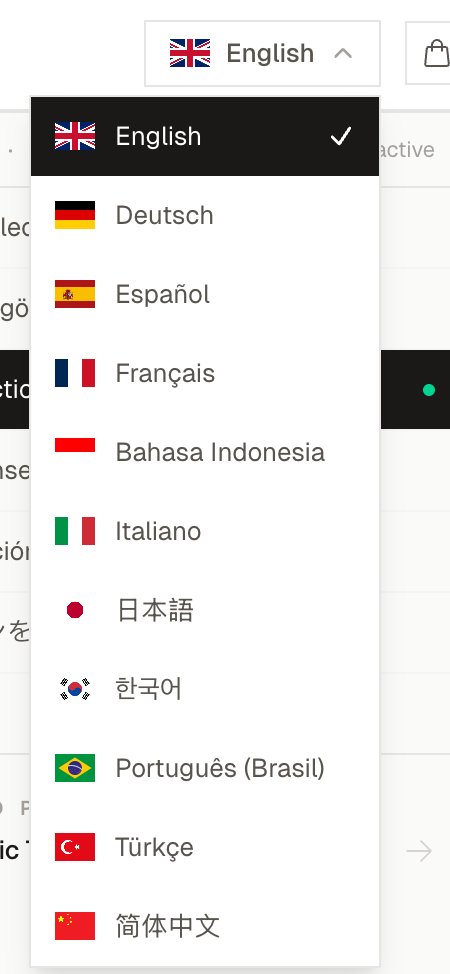
Better i18n provides two built-in components:
// Option 1: Styled dropdown with flags and keyboard navigation
import { LocaleDropdown } from "@better-i18n/remix/react";

<LocaleDropdown
  locale={locale}
  languages={languages}
  currentPath={location.pathname}
/>

// Option 2: Simple select element
import { LanguageSwitcher } from "@better-i18n/remix/react";

<LanguageSwitcher
  locale={locale}
  languages={languages}
  currentPath={location.pathname}
/>
Content Security Policy (CSP)
Hydrogen uses CSP by default. Add the Better i18n CDN to your allowed sources in entry.server.tsx:
const { nonce, header, NonceProvider } = createContentSecurityPolicy({
  connectSrc: [
    "'self'",
    "cdn.better-i18n.com", // Better i18n CDN
  ],
});
AI-Powered Translation Workflow
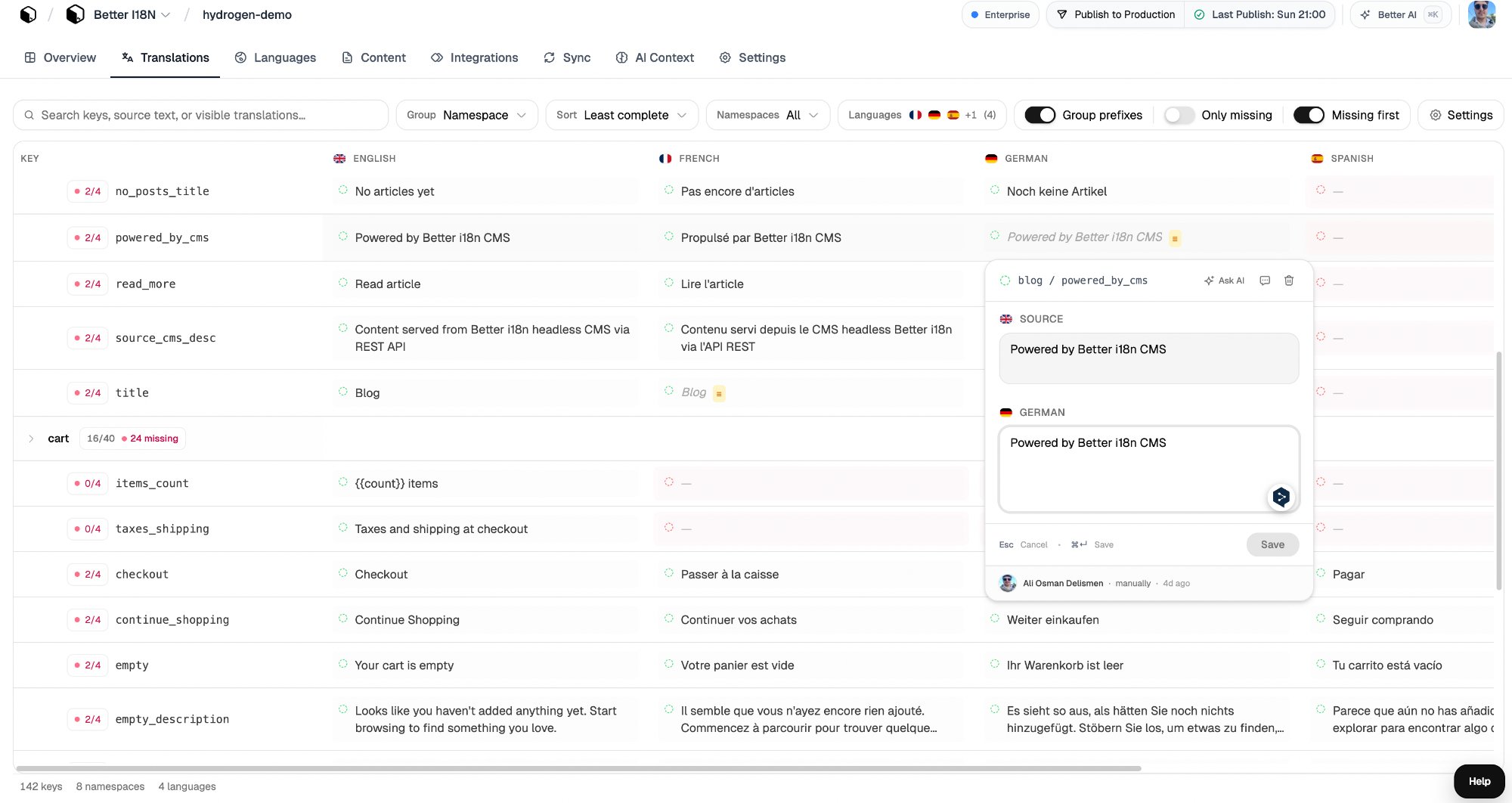
Once your keys are in Better i18n, translating is simple:
- Add keys in your source language (English)
- Click "Translate with AI" — Better i18n uses context-aware AI that understands your glossary, brand voice, and product domain
- Review and approve translations
- Publish — translations are instantly available via CDN, no rebuild needed
<!-- IMAGE_PLACEHOLDER: ai-translation — Screenshot of AI translation in action, showing the translation editor with source English text and AI-generated translations in multiple languages -->
Translation Features
| Feature | Description |
|---|---|
| AI Translation | Context-aware translation with glossary and brand voice support |
| CDN Delivery | Global edge delivery with ~50ms latency worldwide |
| Live Updates | Publish translations without rebuilding or redeploying |
| GitHub Sync | Two-way sync with your JSON translation files |
| Namespaces | Organize translations by page or feature |
| MCP Server | Manage translations from AI coding agents (Claude, Cursor, etc.) |
| CLI | Scan your codebase for missing keys with npx @better-i18n/cli scan |
Common Patterns
Localized Sitemap
Generate a sitemap with hreflang tags for each locale:
const locales = await i18n.getLocales();

const urls = products.flatMap(product =>
  locales.map(locale => ({
    url: `/${locale}/products/${product.handle}`,
    hreflang: locale,
    alternates: locales.map(alt => ({
      href: `/${alt}/products/${product.handle}`,
      hreflang: alt,
    })),
  }))
);
Currency + Language Together
Map locales to both language and currency for a complete localization experience:
const localeConfig = {
  en: { language: "EN", country: "US", currency: "USD" },
  tr: { language: "TR", country: "TR", currency: "TRY" },
  de: { language: "DE", country: "DE", currency: "EUR" },
  ja: { language: "JA", country: "JP", currency: "JPY" },
};
Locale-Aware Cart
Ensure the cart respects the current locale:
const cart = createCartHandler({
  storefront,
  countryCode: shopifyI18n.country,
  languageCode: shopifyI18n.language,
});
Why Better i18n vs. Alternatives
| Better i18n | DIY with i18next | Crowdin | remix-i18next | |
|---|---|---|---|---|
| Hydrogen compatible | Yes | Yes (manual setup) | No (no CDN SDK) | No (middleware required) |
| Edge runtime | Yes, CDN-first | Bundle translations | No | No |
| AI translation | Built-in | No | Yes (extra cost) | No |
| Live updates | No rebuild | Requires deploy | Partial | No |
| MCP for AI agents | Yes | No | No | No |
| Free tier | Generous | N/A | Paid only | N/A |
| Setup time | ~15 min | Hours | Hours | N/A |
Live Example
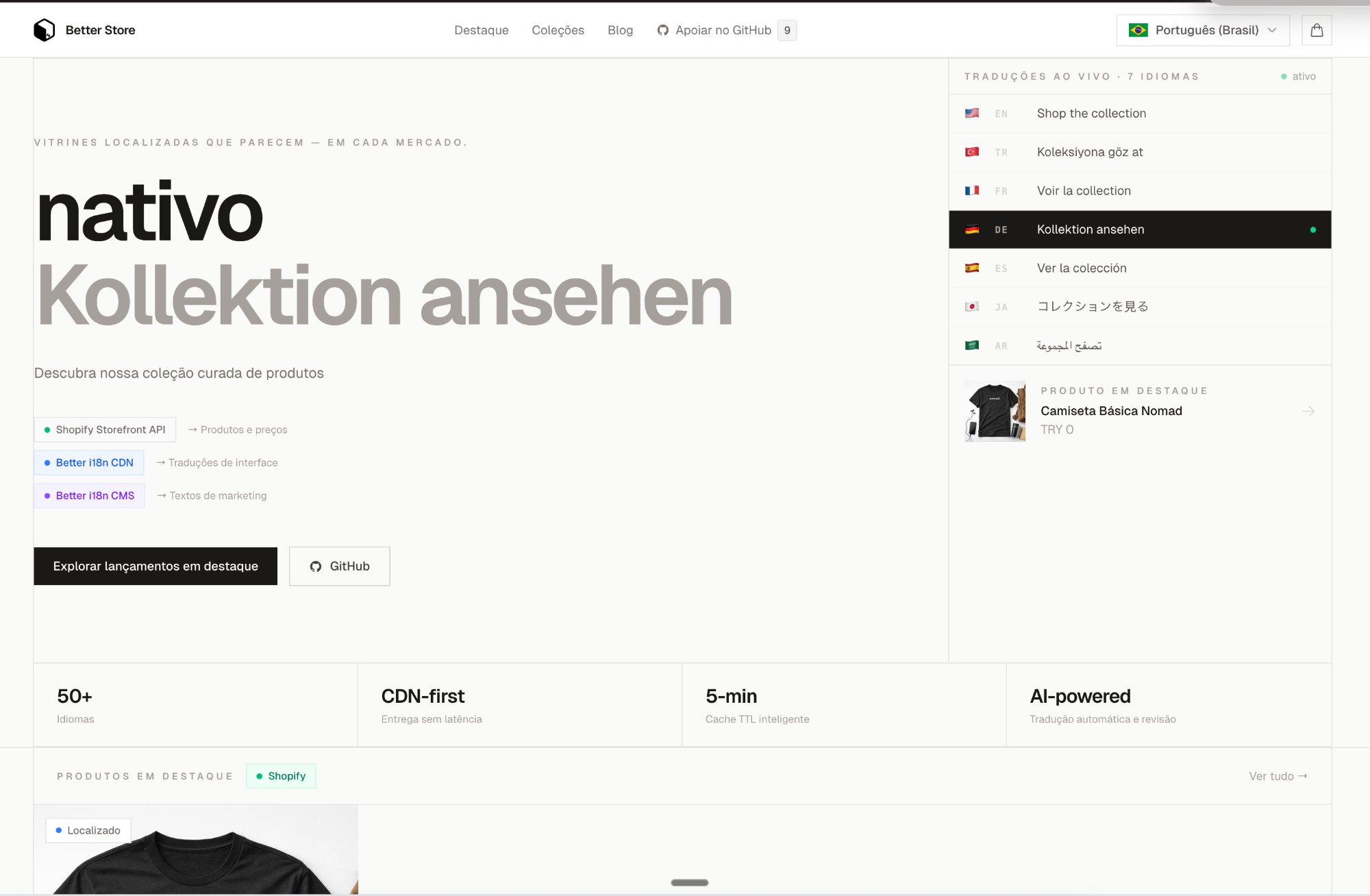
Check out our open-source Hydrogen demo store that uses this exact setup:
- Demo store: Built with Hydrogen 2026.1, React 19, Cloudflare Workers
- 10+ languages configured with AI translation
- Dual-source pattern: Better i18n CDN + Shopify Storefront API
- Source code: Available in the
@better-i18n/remixrepository
Getting Started
Ready to add i18n to your Hydrogen store?
- Sign up for free — no credit card required
- Install
@better-i18n/remixin your Hydrogen project - Follow this guide to wire up locale routing + translations
- Translate with AI — add your keys and let AI handle the translations
- Publish — your store is now multilingual
Need help? Check our developer documentation or reach out through the dashboard chat.
This guide is based on Shopify Hydrogen 2026.1+ with @better-i18n/remix v0.5+. The setup works with any Hydrogen version that uses React Router v7.


